
Introduction
Flutterwave supports a variety of payment methods for customers across many countries. When accepting payments, you can specify which methods you are willing to accept from your customers.
There are two ways to specify your accepted payment method.
1. Account Settings
Enable or disable payment methods for your whole account in account settings. This controls which methods customers see on Flutterwave Inline, Checkout, and HTML Checkout.
Payment Options
For payment_options to work, you need to uncheck the Enable Dashboard Payment Options on your Account Settings. You can find a guide here.
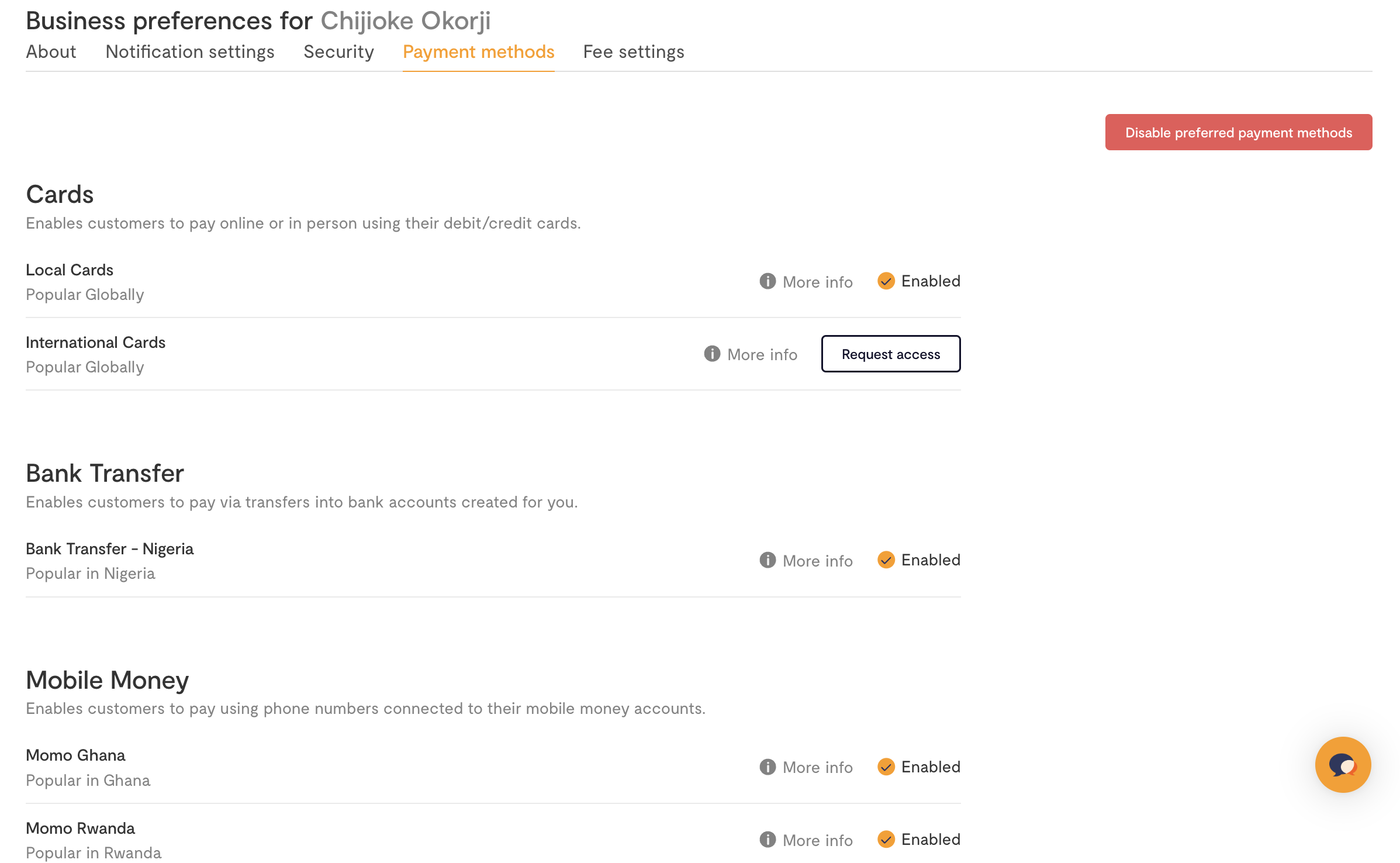
2. Per Payment
For more control, you can also set payment methods on a per-transaction basis using the payment_options parameter. This field accepts a comma + space separated list of allowed payment methods.
Here is the same payment_options value in Inline, Checkout, and HTML Checkout:
Javascript
<script>
	function makePayment() {
		FlutterwaveCheckout({
			// other fields ...
			payment_options: 'card, ussd, mobilemoneyghana',
		});
	}
</script>
Some payment methods are tied to specific currencies. When displaying the payment options to the customer, we’ll automatically exclude any that are not applicable to the current currency.
For instance, mpesa is only available for KES, so if you specify payment_options as "card, account, mpesa" when collecting an NGN payment, we'll only show card and account payment options on the modal.
Supported Payment Methods
Here is a list of currently supported payment methods and the value to use when specifying them in payment_options:
| Payment option | Value |
|---|---|
| Card payment | card |
| Bank account (direct debit) | account |
| Bank transfer | banktransfer |
| M-Pesa | mpesa |
| Mobile mobile Ghana | mobilemoneyghana |
| Mobile money Francophone Africa | mobilemoneyxaf(for Central Africa) or mobilemoneyxof (for West Africa). |
| Mobile money Uganda | mobilemoneyuganda |
| Mobile money Rwanda | mobilemoneyrwanda |
| Mobile money Zambia | mobilemoneyzambia |
| Barter payment | barter |
| QR payment | nqr |
| USSD | ussd |
| Credit payment | credit |
| Opay | opay |
| FawryPay | fawrypay |
Please note that not all methods are supported across all countries. Countries/currencies are mapped to different payment methods in that region. You can see the full list of supported methods by region below:
| Country | Currency code | Payment Options |
|---|---|---|
| Nigeria | NGN | card ussd banktransfer account internetbanking nqr enaira opay |
| United States | US | card account |
| Europe | EUR | card account |
| United Kingdom | GBP | card account |
| Ghana | GHS | card ghanamobilemoney |
| Francophone Africa (Central Africa) | XAF | card mobilemoneyxof |
| Francophone Africa (West Africa) | XOF | card mobilemoneyxaf |
| South Africa | ZAR | card account 1voucher |
| Malawi | MWK | card mobilemoneymalawi |
| Kenya | KES | card mpesa |
| Uganda | UGX | card mobilemoneyuganda |
| Rwanda | RWF | card mobilemoneyrwanda |
| Tanzania | TZS | card mobilemoneytanzania |
| Egypt | EGP | card fawrypay |
Expiring Payments
For banktransfer payments (also called pay with Bank Transfer); you can specify an expiry period for transactions.
Javascript
<script>
    function makePayment() {
        FlutterwaveCheckout({
            // other fields ...
            bank_transfer_options: {
                expires: 3600
            },
        })
    }
</script>